

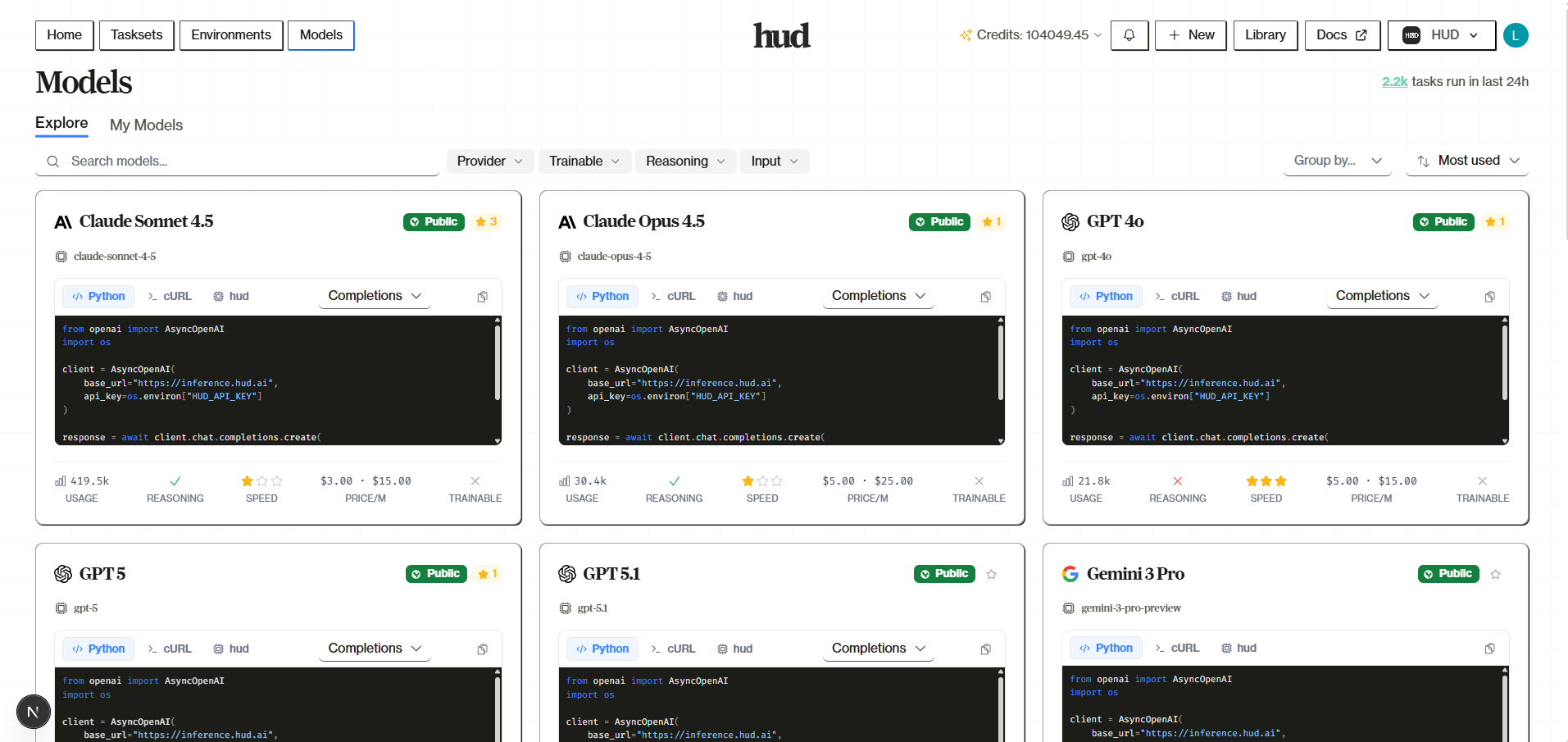
The Models page at hud.ai/models lets you browse available models, track your trained model checkpoints, and view inference logs. Models are the AI providers you use through the HUD Gateway—Claude, GPT, Gemini, and more—plus any custom models you’ve trained.Documentation Index
Fetch the complete documentation index at: https://hud-f5fd7c15-parallel-agent-telemetry.mintlify.app/llms.txt
Use this file to discover all available pages before exploring further.
Overview
Navigate to Models to see two tabs:- Explore — Browse public base models from providers (Anthropic, OpenAI, Google, xAI)
- My Models — Your forked or trained models
Model Details
Click on any model to see its detail page:Checkpoints Tab
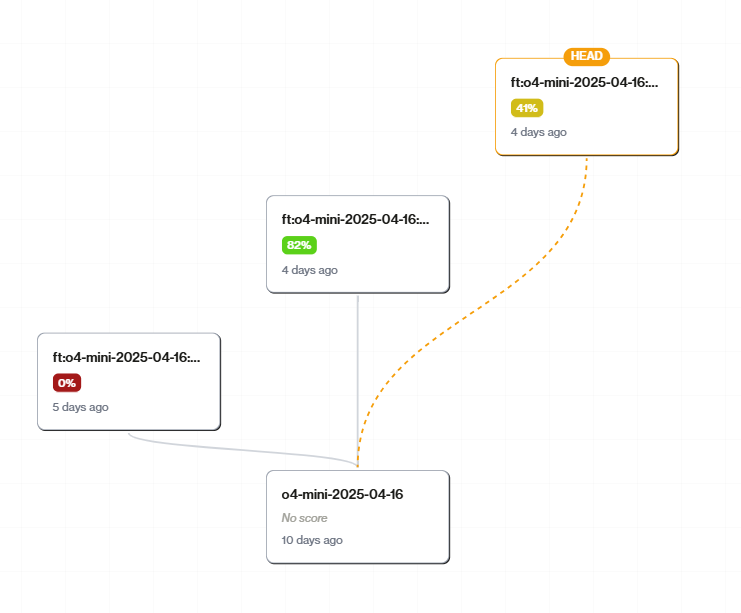
Shows the checkpoint tree for your model. Each checkpoint represents a saved state during training:- HEAD — The active checkpoint used for inference
- Tree View — Visual history of training branches
- Click a checkpoint — View details, set as HEAD, or start new training
Traces Tab
View all traces where this model was used:- Filter by checkpoint
- Click to view full trace details
- See prompts, tool calls, and responses
Logs Tab
Inference logs for API calls through the Gateway:- Request/response details
- Token usage
- Latency metrics
- Filter by checkpoint
Settings Tab
Model configuration:- Display Name — How the model appears in the UI
- Advanced — Model ID, API name, provider, routes, and other metadata
Training Models
To train a model, you need a base model to start from:- Go to Explore and find a trainable model
- Click Fork to create your own copy
- Click Train Model to start a training job
Not all models are trainable. Look for the “Train Model” button to be enabled.
Forking Models
Fork a model to create your own copy that you can train:- Navigate to the model you want to fork
- Click Fork in the header
- Enter a name for your forked model
- Your forked model appears in My Models
Using Models via Gateway
All models on the platform are available through the HUD Gateway atinference.hud.ai:
Next Steps
Gateway Docs
Learn the Gateway API in detail
A/B Testing
Compare models with variants